PR #9835 review: Workspaces on the rail, Chat into More
Summary
The PR moves Workspaces out of the rail's More (“…”) menu and puts it on the navigation rail as the second button, after Home. It uses the same icon as the title-bar workspace switcher. Chat moves the other way, from the rail into the More menu. It is still behind the channels flag, and the More button highlights while Chat is open. WorkspacesIcon moves up to _dashboard/components/ because two components now use it.
Verdict
Looks good The change is small and placed correctly under the co-location rules. Every QA item in the description works in the running desktop app, and all CI checks pass at the head commit.
Findings
Nothing blocks this PR. One follow-up:
Workspaces still has the Layers icon in three other places. DashboardSidebar/components/DashboardSidebarHeader/DashboardSidebarHeader.tsx:159 and :423, commandPalette/ui/CommandListView/components/RootWorkspacesSection/RootWorkspacesSection.tsx:43, and commandPalette/modules/navigation/commands.tsx:55 all still use LuLayers/Layers. The PR lists this under Known Limitations. Now that WorkspacesIcon is shared, these places can use it too. That would give Workspaces one icon in the whole app, in this PR or a follow-up.
Things I checked that are correct:
RailButtongetsisIconFilled, so it passes nostrokeWidth.WorkspacesIcononly takesclassName, so the types match (CI Typecheck passes).- The separator condition in
RailMoreMenu.tsx:72works in all three states (see the screenshots below). With neither item, the menu shows only Add project and has no leading divider. - The More highlight follows
isChannelsOpen. Usage, the other item in More, opens a settings route. That route has no rail, so it needs no highlight. - The old
WorkspaceSwitcherButton/components/folder is now gone, with no orphan files. The"Workspaces"and"Chat"message ids already exist, so the catalogs do not change. TasksView.test.tsreads theNavigationRail.tsxsource. It still passes.
Evidence
Surface: desktop (Electron), driven over CDP. I relaunched the dev desktop from this workspace with RENDERER_REMOTE_DEBUG_PORT=9333. The renderer is at localhost:3005, which matches DESKTOP_VITE_PORT, and it is signed in. The new rail is behind paradev-shell. I turned it on, and switched channels on and off, with PostHog's featureFlags.overrideFeatureFlags and a renderer reload. That setup step is synthetic. Every interaction after it used real CDP mouse input. I turned on Usage with the real switch in Settings → Usage.
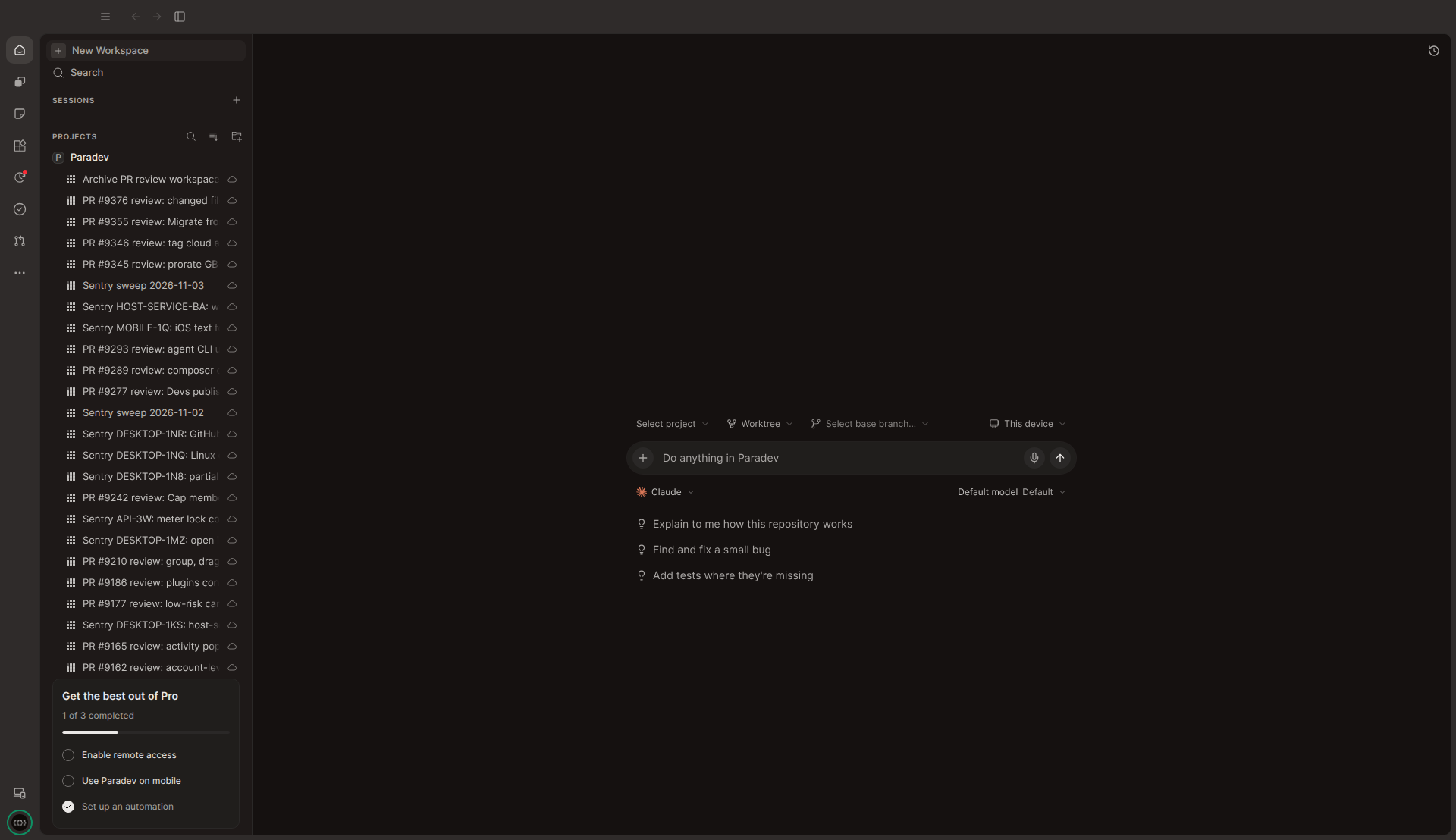
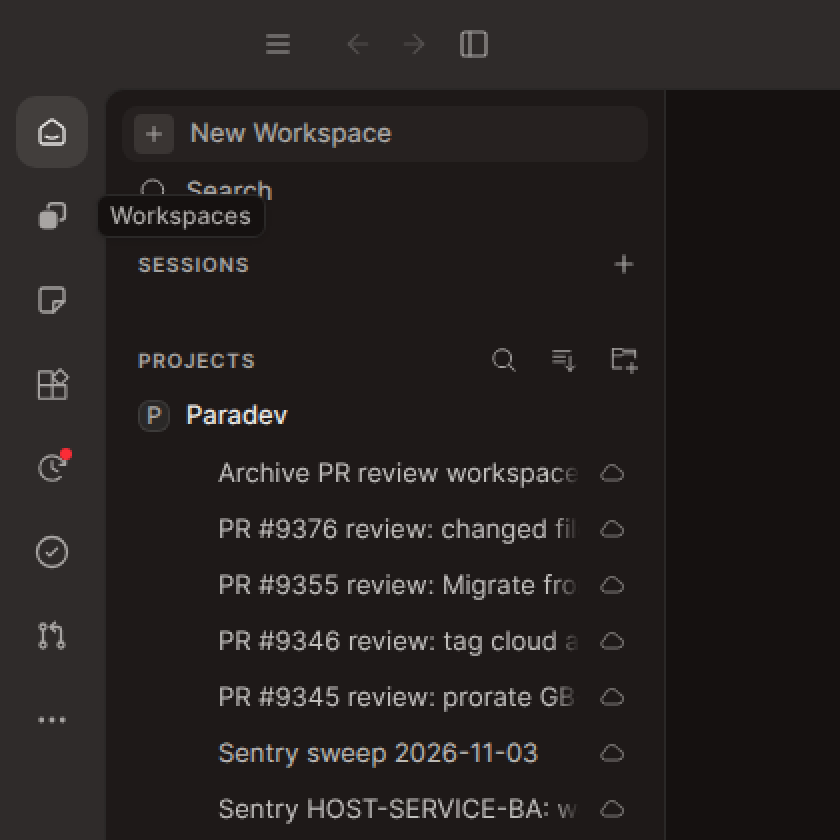
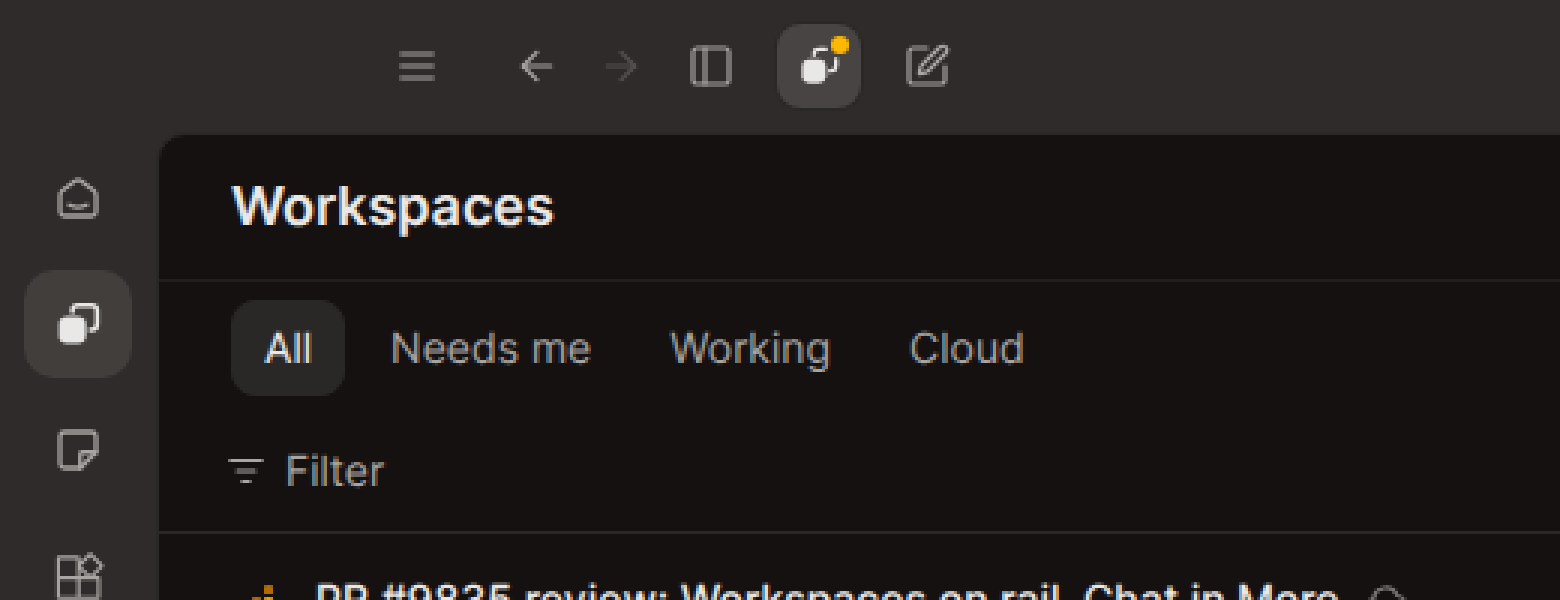
WorkspacesIcon path, at 16px and 18px.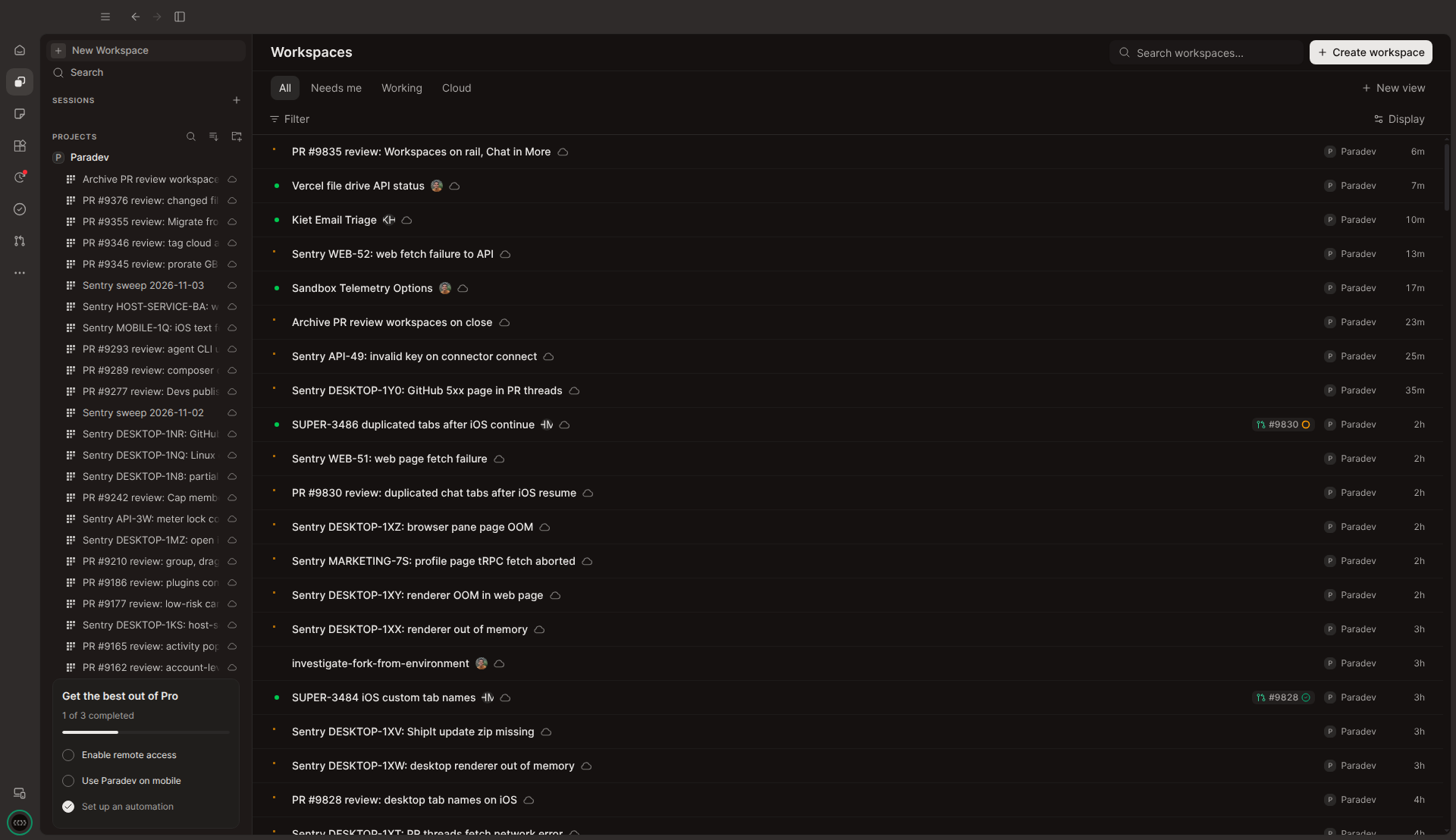
#/v2-workspaces. The button gets aria-current="page" and the selected fill.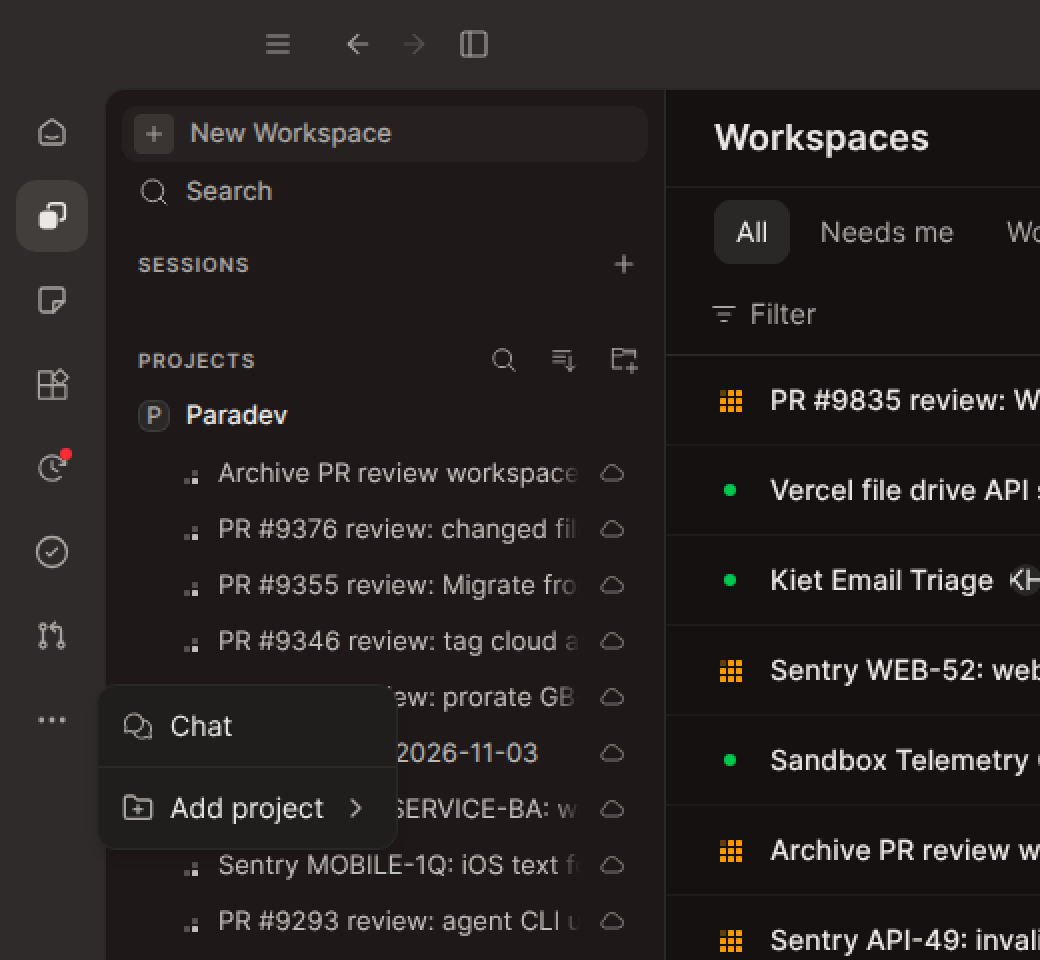
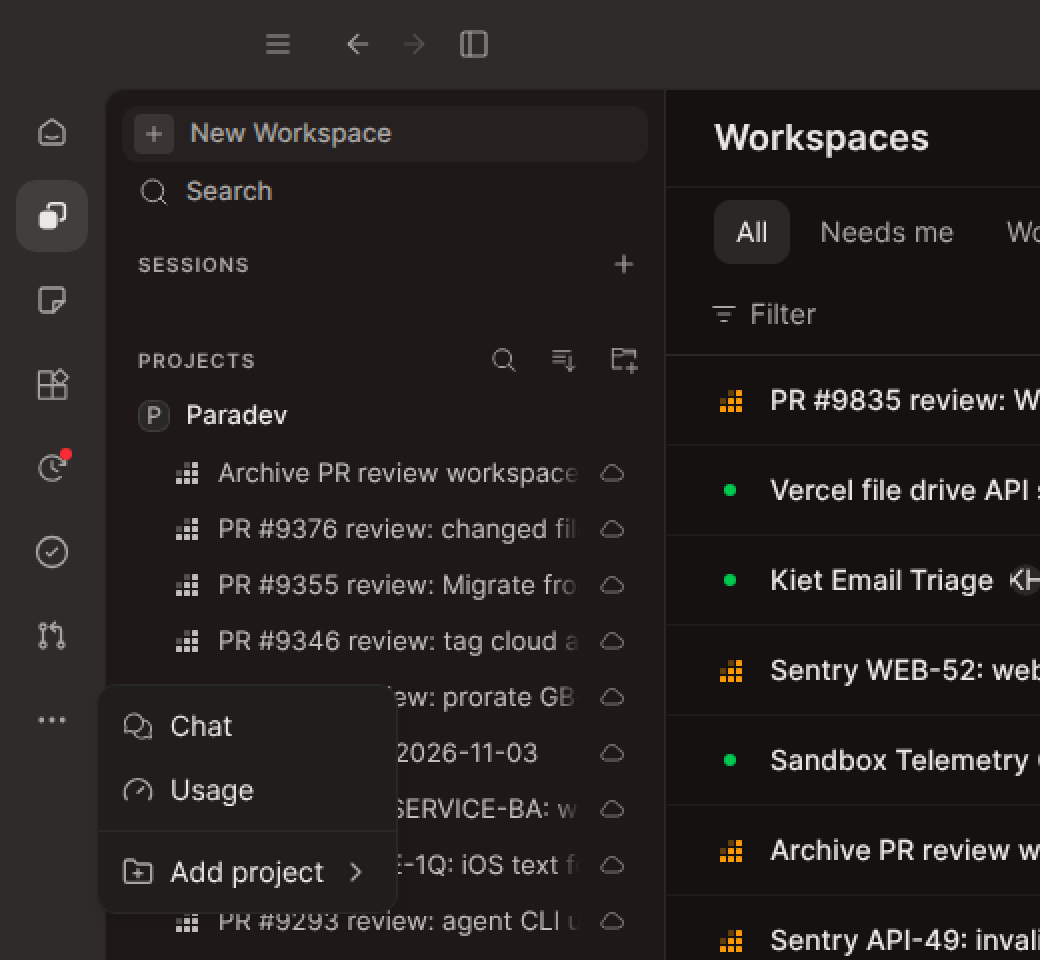
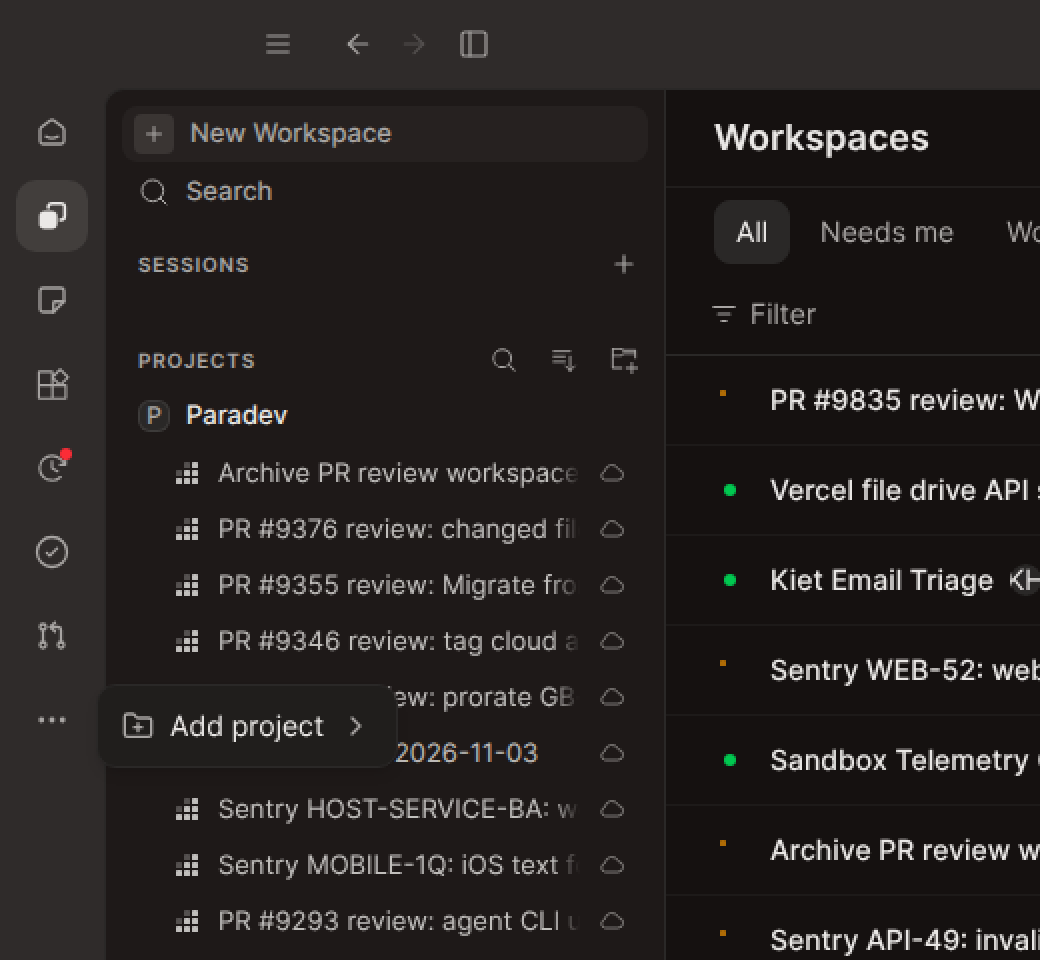
role=separator in the DOM).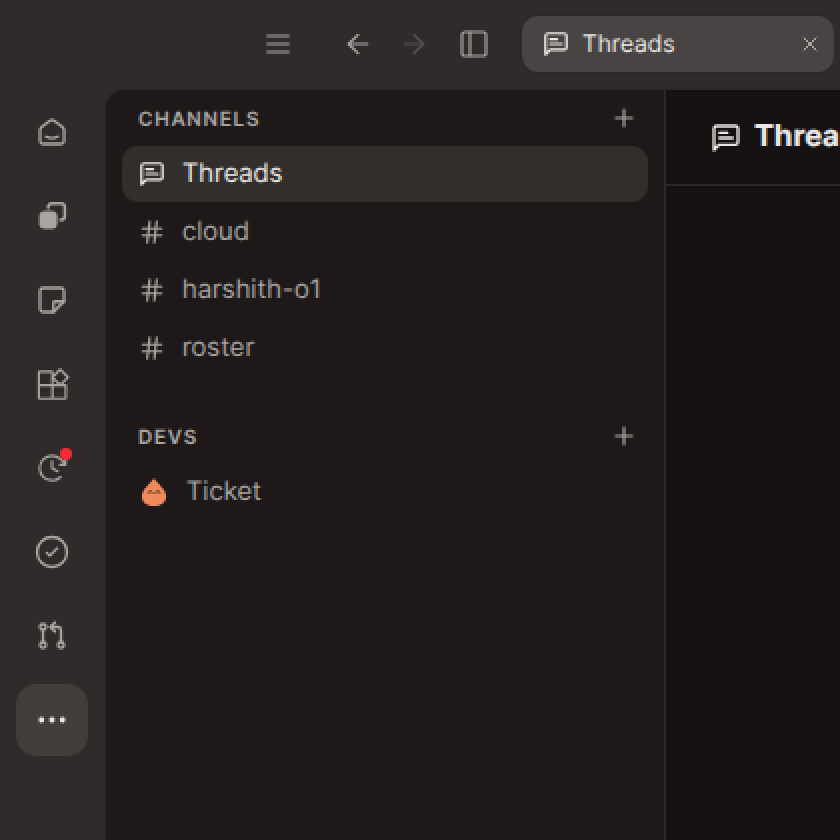
#/channels/threads. Only “More” has the selected fill.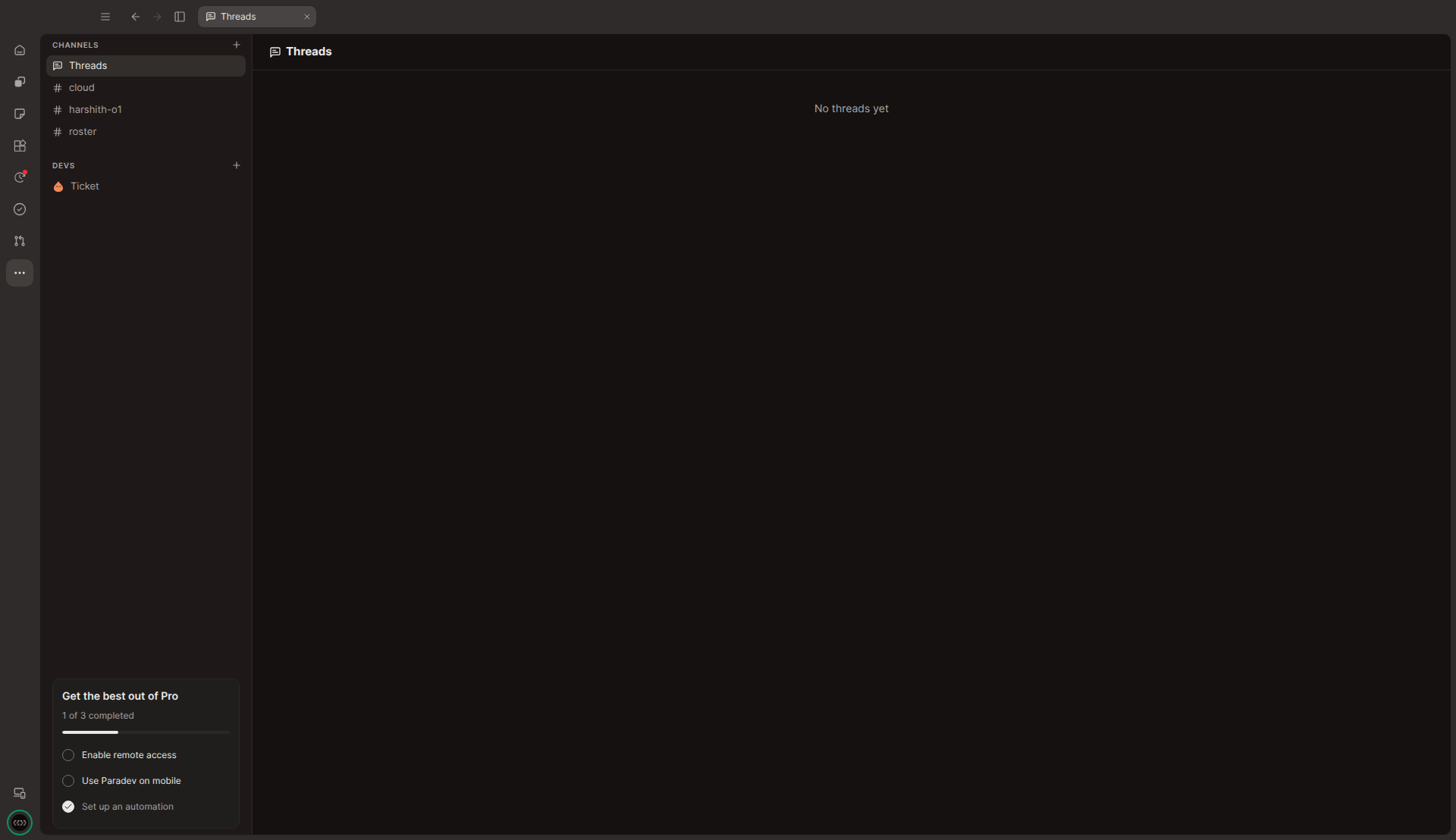
Surfaces not run: none. This PR changes only the desktop renderer.
Questions for the author
- People with the channels flag on now need two clicks to reach Chat, where before they needed one. Is that what you want while Chat is still in internal testing, or will Chat get a hotkey or palette command for the people who use it every day?
- Do you want
WorkspacesIconin the old sidebar header and the command palette in this PR, or in a separate one?
Test / CI notes
- All at head
90bf3b2ea952702b0c5777d93db256496c85a76b. - CI: all checks pass, including Lint, Typecheck, Test, Sherif and Build CLI. cubic is neutral.
- Local:
biome checkon NavigationRail, WorkspacesIcon and TitleBar shows no issues.bun test …/TasksView/TasksView.test.tsgives 8 pass, 0 fail. - Desktop CDP run as described above. I did not hook
console.error, so this run does not check for console errors.